
Have you ever watched a Power Automate tutorial and heard terms like parameter, expression, or function—and felt confused about what they actually mean?
In this post, we’ll explain Power Automate expressions in simple, clear language.
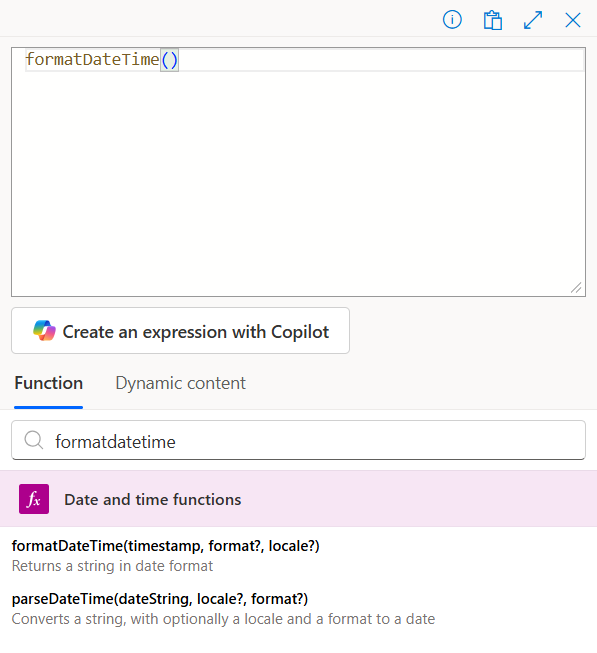
When creating a Power Automate flow, there are two main ways to add values to your flow.
As we show here before, the first option is Dynamic Content. This means the value can change automatically based on the data your flow receives, the user who runs it, or the conditions you set in the flow.
The second option—and the focus of this post—is Expressions. Expressions help you control the value exactly as you need it. You can use them to change text, combine values, apply simple logic, or format data in a clear and predictable way. They are useful when Dynamic Content alone is not enough.
Time to Explore Expressions in Power Automate.
An expression is a complete statement that produces a value.
It can contain one or more functions and their parameters.
Example:
formatDateTime(utcNow(), ‘yyyy-MM-dd’, ‘en-US’)
Here, the whole line is an expression.
After an expression comes a function, which is a predefined operation in Power Automate that performs a specific task.
- Think of it as a verb that tells Power Automate what to do.
Example:
formatDateTime() → this function formats a date/time value.
Inside a function, we have parameters, which are the input you give to a function so it can do its work.
- Think of it as a verb that tells Power Automate what to do.
Example: formatDateTime(Timestamp, Format, Locale)
Timestamp ; Date/time value you want to format
Format : Pattern you want, e.g., 'yyyy-MM-dd'
Locale : Culture/region formatting, e.g., 'en-US'
What is Syntax then?
Syntax is the correct way to write a function/expression so Power Automate can understand it. It’s like grammar in a language: order and format matter.
Example:
- formatDateTime(utcNow(), ‘yyyy-MM-dd’, ‘en-US’) ✅ correct syntax
- utcNow(), ‘yyyy-MM-dd’, ‘en-US’ formatDateTime() ❌ breaks syntax
Functions must be called with parentheses around parameters.
Parameters must be in correct order and separated by commas.
Can Functions Be Combined?
You can nest functions inside an expression, which means using one function as an input for another function. This allows you to perform multiple operations in a single expression.
Sample:
- formatDateTime(addDays(utcNow(), 5), ‘yyyy-MM-dd’, ‘en-US’)
Here, addDays() is a function inside another function formatDateTime().
This entire statement is a single Expression.
Understanding these concepts is key to creating powerful, precise, and efficient flows. Once you’re comfortable with expressions, everything else in Power Automate becomes easier to handle, since most other concepts are built on or related to them.
Now that you know the basics, start experimenting in your own flows. Play with functions, try nesting them, and see how parameters affect the results. The more you practice, the easier it will become to manipulate data and automate tasks exactly the way you want.